Review Comments (4) Screenshots (7) Questions & Answers (0) Votes (21) Awards (1) Wiki  
(21)
Hewlett-Packard
1.18.24.1
www.lightscribe.com
Freeware
17 089 people
Download LightScribe...

11.51 MBDownloaded 3119 times


Review

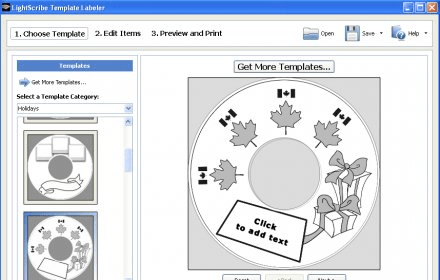
LightScribe Template Labeler is a design utility for LightScribe burners. The application installs in your system and allows you to create template designs. Those designs can be used to print on your DVD or CD discs that are printable. Your burner has to be LightScribe capable in order for this application to work and you also need to have some other LightScribe software installed. The application is terribly easy to use, partly because it takes on the basis of the Simple Labeler. Template labeler is mostly drag and drop, so you need to be good with the mouse. You can insert your own pictures and drag them around to make a great template. You can also rotate the images and add effects. Of course, the simplest of tools, the typing tool, is also here. You can create text and rotate it any way you want, you can also change the fonts and sizes. Perhaps the greatest feature about this application is the ability to open templates created by others. On the web page, there are several templates that can be downloaded for free and are really nice, though basic.
  • Allows for plenty of different designs.
  • It is easy to use.
  • None.

Reviewed by: José Fernández

Reviewer rating:

Reviewed: 3 years ago

Report a wrong version Report a wrong program title Suggest a correction

Screenshots

1 1 2 2 3 3 Main Main
All 7 screenshots

Latest comments

Renegade(beginner) Last year 
No fuss, no mess. Thats the up side. The down side is the siilk screening can come out very light. They have a contrast tool which darkens the picture and print, I would suggest downloading the tool Its on their web site.
Reply
Christopher(beginner) Last year 
This is the best program you can use to label Light Scribe Discs!
Reply
Vic Hanson(beginner) 3 years ago 
The claim that this application supports Arabic is bogus. If you enter Arabic characters, they appear left to right and they remain in block letters, as opposed to cursive. This essentially renders it unusable for Arabic labeling.
Reply
Add new comment All 4 comments

E-mail Address:

Password:

Register now »

Forgot password?

Sign in with:
.lst
.lsq LeapFTP Site Queue
Download Software Informer Client
Copyright © 2012, Informer Technologies, Inc. About| Privacy and terms| Help| Feedback & Support| Partners program